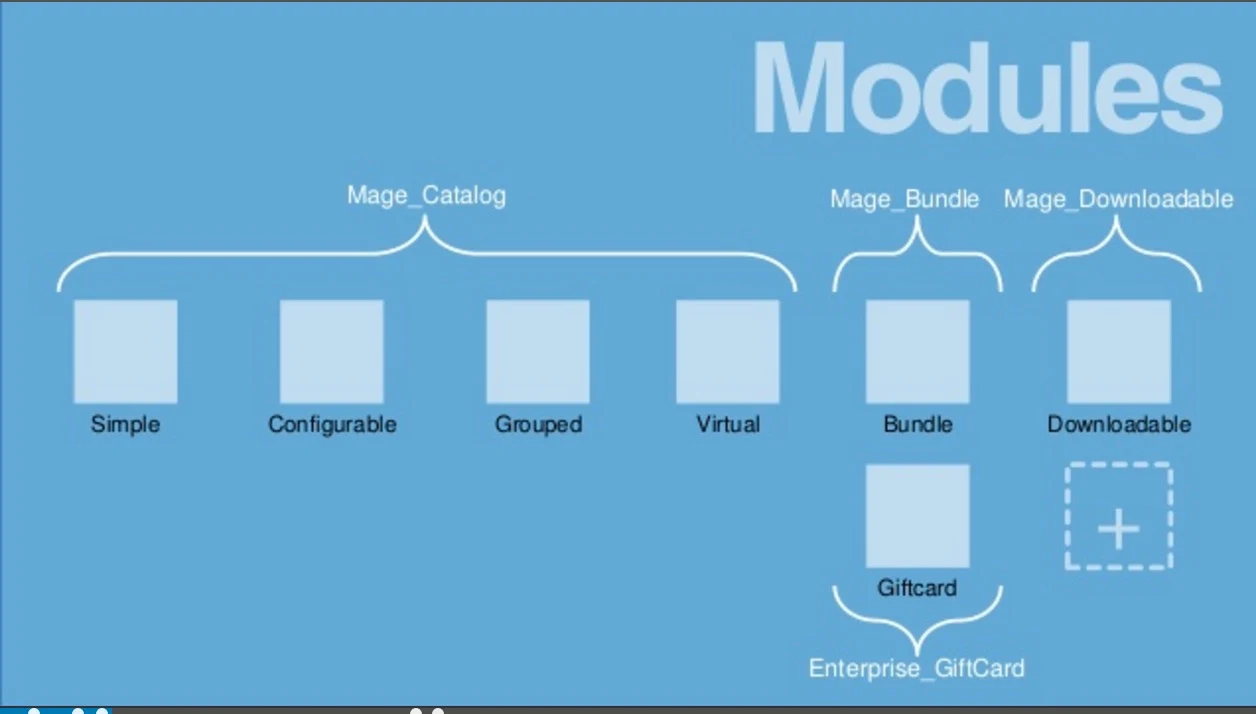
this is my first major deployment on AWS, every thing went so smooth could not have gone better
Magento
AWS VPC, Aurora,
Cost Comparison
Product comparison:
Magento Community vs Enterprise
Experience on IBM Commerce Implementation:
Non Functional Requirements
Performance
|
https://github.com/magento/taf , Load testing
| |
Scalability
| ||
Backup
|
Under System | Tools | Backups,
| |
Certification
| ||
Compliance
| ||
Maintainability
| ||
Security
|
Under System | Permissions,
| |
Clustering:
Planning Store
| ||
Product Catalog
| ||
Version control strategy
| ||
Deployment
|
Magento Payment and Shipping Methods :
Magento Training Video - Group Pricing
Magento Basics, Lesson 2 Event driven Architecture
Magento + Rest
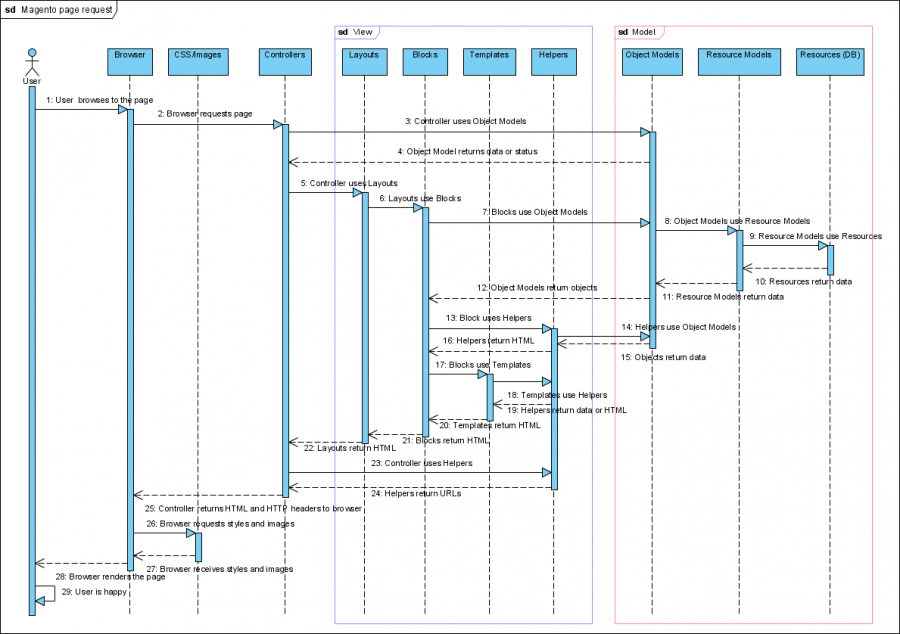
Magento Architecture
- Zend Framework – the base of Magento
- ZF2 follows the SOLID object oriented design principle
- This loosely coupled architecture allows developers to use whichever components they want.
- configuration-based MVC pattern

Load Testing
It is using PHPUnit to run about 1000 Selenium testcases to ensure if the core functionality of Magento is still working properly along with your customizations.
https://www.magentocommerce.com/images/uploads/download/MagentoTestAutomationFrameworkUsersGuide.pdf
MySql
Analytics
Configure google analytics from admin panel under System > Configuration > Sales > Google API > Google Analytics
Set Enable = True
Account Number = { Web Property ID, that is associated with your Magento in GA profile, like UA-43096110-1 for dev}
Plugins:
Development IDE
Clustering
Cron Jobs
Configuring Cron Jobs on Windows:
Persistent Cart:
Magento Extensions to send abandoned cart alerts:
Magento User Tutorial
Intro Magento
Good one
Magento - Customize theme
https://www.youtube.com/watch?v=4WcQ5wqmVzAhttp://creatingawebstore.com/step-by-step-magento-theme-installation-tutorial.html
https://www.youtube.com/watch?v=gsY51-QmxkU&list=PL3B0BAAF482B16EAB&index=26
https://www.youtube.com/watch?v=gsY51-QmxkU&list=PL3B0BAAF482B16EAB&index=26
Magento - Order Confirmation Email Settings
Settings for SMTP:
http://stackoverflow.com/questions/11558156/magento-how-enable-smtp-server-authentication-and-secure-transport
http://pravams.com/2011/07/30/magento-send-email-using-smtp/
Magento - Promotion Codes
Videos for creating promotion rules:
Links to read for Shopping Cart Price Rules and BOGO:
Magento Development Tutorial
Affiliate Programs
source code checke in tfs in ShareASale-Affiliate
Mage Development Getting Started
- Install Vagrant and Virtual box
- brew cask install virtualbox
- brew cask install vagrant
- brew cask install vagrant-manager
- git clone https://github.com/sree6644/simple-magento-vagrant
- Vagrant up
- after 10 min Access web site : http://127.0.0.1:8080/
- Create hello.php page (direct access to db)
- move hello.php to httpdocs folder
- http://127.0.0.1:8080/hello.php
Deployment & Performance
On a given server (2.5GHz QC/8GB RAM), Apache is good for around 12k requests per second

Admin functionality
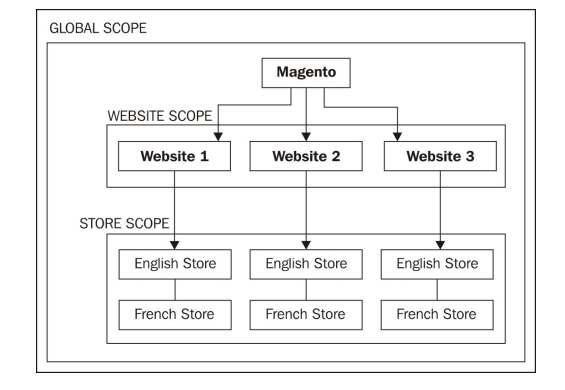
Website, Store Name, Store view
Catalog:
Attribute & Attribute Set
products