Sunday, October 25, 2015

Big Data


Data Science


splunk with mysql

Aws Big Data


https://www.youtube.com/watch?v=9zpKPivMkS0


Library:

Good Video

Amazon DynamoDB Design Patterns for Ultra-High Performance Apps

Big Data on Amazon Web Services

Tableau


RedShift
  1. cluster


Kinesis


Screen Shot 2015-10-11 at 4.26.39 AM.png


IMG 2015-10-20 at 11.46.27 AM.jpg

Monday, July 20, 2015

new Plugin Architecture


Netscape Plug-in Application programming interface
Default full access to OS
The plugin can do everything under the SUN
No access control
Inprocess DLL, if the plugin crashes the Browser will crash
Only way to leverage native code
Mozilla Firefox has reduced support for NPAPI
Google started whitelisting plugin


Saturday, July 4, 2015

Completed VPC Course on Linux Academy


Working on Setting up Magento On AWS VPC


Sunday, June 21, 2015

Friday, March 20, 2015

Evaluating Moving Magento to Cloud


Reference


  1. install 2 vm ubuntu 14 LTS (https://www.digitalocean.com/community/tutorials/how-to-install-and-configure-magento-on-ubuntu-14-04)
    1. web open port 80 & 22
    2. db : open port 22 & 3306
  2. web :  (reference https://www.digitalocean.com/community/tutorials/how-to-install-linux-apache-mysql-php-lamp-stack-on-ubuntu-14-04)
    1. sudo apt-get update
    2. sudo apt-get install apache2 (apache/2.4.7)
    3. sudo apt-get install php5 libapache2-mod-php5 php5-mcrypt
    4. sudo nano /etc/apache2/mods-enabled/dir.conf
    5. sudo service apache2 restart
    6. sudo apt-get install php5-cli
    7. sudo nano /etc/apache2/sites-available/magento.conf
    8. sudo a2ensite magento.conf
    9. sudo a2dissite 000-default.conf
    10. sudo apt-get install libcurl3 php5-curl php5-gd php5-mcrypt
    11. sudo a2enmod rewrite
    12. sudo php5enmod mcrypt
    13. cd ~ && wget http://www.magentocommerce.com/downloads/assets/1.9.0.1/magento-1.9.0.1.tar.gz
    14. tar xzvf magento-1.9.0.1.tar.gz
    15. sudo rsync -avP ~/magento/. /var/www/html/
    16. sudo chown -R www-data:www-data /var/www/html/
    17. sudo apt-get install mysql-client
    18. apt-get install php5-mysql


  1. db :
    1. sudo apt-get update
    2. sudo apt-get install mysql-server
    3. sudo mysql_install_db
    4. mysql -u root -p
      1. CREATE DATABASE magento;
      2. CREATE USER 'mangento2'@'localhost' IDENTIFIED BY 'password';
      3. GRANT ALL PRIVILEGES ON *.* TO 'mangento2'@'localhost' WITH GRANT OPTION;
      4. CREATE USER 'mangento2'@'%' IDENTIFIED BY 'password';
      5. GRANT ALL PRIVILEGES ON *.* TO 'mangento2'@'%' WITH GRANT OPTION;
      6. FLUSH PRIVILEGES;
      7. exit;
    5. sudo nano /etc/mysql/my.cnf (Bind address 0.0.0.0)
    6. mysqld --help --verbose


  1. Install ubuntu 14.04 LTS
  2. Install apache2
  3. install php
  4. unzip the shopping in web root
  5. Change the config file


Chef :


CloudFormation Template:


  1. install aws command line tools
    1. $ curl "https://s3.amazonaws.com/aws-cli/awscli-bundle.zip" -o "awscli-bundle.zip"
      $ unzip awscli-bundle.zip
      $ sudo ./awscli-bundle/install -i /usr/local/aws -b /usr/local/bin/aws
    2. aws cloudformation create-stack --stack-name myteststack2 --template-body file://///Projects/cc/cf/shop.json
    3. aws cloudformation delete-stack --stack-name myteststack2

Chef + cloudformation


Setting up chef


Vagrant:


Mac Setup


$ brew tap caskroom/cask
$ brew install brew-cask
$ brew cask install google-chrome
$ brew update && brew upgrade brew-cask && brew cleanup


  1. brew cask install virtualbox
  2. brew cask install vagrant
  3. brew cask install vagrant-manager
  4. vagrant box add precise64 http://files.vagrantup.com/precise64.box
  5. vagrant init precise64
  6. vagrant up
  7. vagrant ssh
    1. vagrant halt


  1. mkdir -p ~/chef/cookbooks/helloworld/recipes
    $ echo '
    file "/tmp/helloworld.txt" do
     owner "ubuntu"
     group "ubuntu"
     mode 00544
     action :create
     content "Hello, Implementor!"
    end' > ~/chef/cookbooks/helloworld/recipes/default.rb
  2. echo '
    {
     "run_list": [ "recipe[helloworld]" ]
    }' > ~/chef/node.json
  3. echo '
     file_cache_path "/home/vagrant/chef"
     cookbook_path "/home/vagrant/chef/cookbooks"
     json_attribs "/home/vagrant/chef/node.json"
    ' > ~/chef/solo.rb


RUBY


//setting up chefdk for Ruby


  1. brew install chruby
  2. brew install ruby-install
  3. ruby-install ruby 2.2


Chef DK


install chef & Ruby


  • brew cask install virtualbox
  • brew cask install vagrant
  • brew cask install vagrant-manager
  • brew cask install chefdk
  • vagrant plugin install vagrant-berkshelf
  • vagrant plugin install vagrant-omnibus
  • vagrant plugin install vagrant-chef-zero
  • vagrant plugin install vagrant-vbguest


Good one


VBoxManage dhcpserver remove --netname HostInterfaceNetworking-vboxnet0


brew cask install sublime-text


Test app:


good one


Performance & Scalability:


Tools


  1. FastCGI


Reference Architecture


Screen Shot 2015-05-11 at 12.25.31 PM.png
Screen Shot 2015-05-09 at 7.47.54 AM.png
Screen Shot 2015-05-17 at 6.24.20 PM.png


VPC:
AWS re:Invent 2014 | (SDD422) Amazon VPC Deep Dive


Screen Shot 2015-06-20 at 3.18.21 AM.png
Screen Shot 2015-06-21 at 5.10.27 AM.png


VPC Security


Network ACL : Stateless lives on network level, outbound and inbound rules need to be specified
Security Group : Stateful default outbound rules are allowed


3 Security Groups


DB security groups,
VPC security groups, and
EC2 security groups


cd /etc/apache2/site-enabled


NAT Instance


DB Subnet Groups


RDS Essentials


Cloud Deployment Steps:


1.
Mysql Setup

2.
Create webserver

3.
scp the zip file extract and run machine-init script


Magento Install


sudo apt-get install -y ssh
sudo apt-get install -y apache2
sudo apt-get install -y php5 libapache2-mod-php5
sudo apt-get install -y php5-mysqlnd php5-curl php5-gd php5-intl php-pear php5-imap php5-mcrypt php5-ming
sudo apt-get install -y php5-ps php5-pspell php5-snmp php5-recode php5-sqlite php5-tidy php5-xmlrpc php5-xsl php-soap


VPC:


Building A Non-Default VPC


Database:


Load test on DB


Screen Shot 2015-05-21 at 6.07.54 AM.png
Screen Shot 2015-05-21 at 6.08.46 AM.png


Best Practice


  1. Have a subnet block that does not overlap with local network
  2. VPC for Dev,Stage,Prod (VPC peering)
  3. Security
    1. Firewall Virtual appliance
    2. VM encryption


Subnet


172.16.0.0/16


Concerns 6/17


Action Item
Cost
2 Compute + 1 DB + Data transfer Cost


db.m3.xlarge- 4vCPU, 15 GiB RAM
Store 100 GB
IOPS : 1000
Sriram
Security
VPC  (Virtual private Cloud)

Performance
will load test, and publish the results

App Scalability


Db Scalability
https://www.scalebase.com/, Scale up, Read Replicas

Data Recovery
we will do daily backup of db in our DS

Exit Strategy
will have 1 Prod instance running in our DS


Data that are stored in magento


DNS


Deployment


BOTO


Shopping Cloud Setup:


Reference:


X
Build for Prod
X
Setup VPC
X
Setup SSL
X
Setup Mail

Password protected page
X
Basic load test
X
Fast CGI ?
X
NGNIX + FAST CGI
X
Disable XDebug
X
JS minification
X
install n98

Debug : capture all http traffic
X
Move Sessions and Caching to Redis

remove public ip address access

remove public access on S3

NFS and S3

Prime all the pages for resize Images
X
Security Check
X
Add reindexing cron job
X
Create Roles for CC and Product Team
X
PHP Page Complilation
X
Full page cache
X
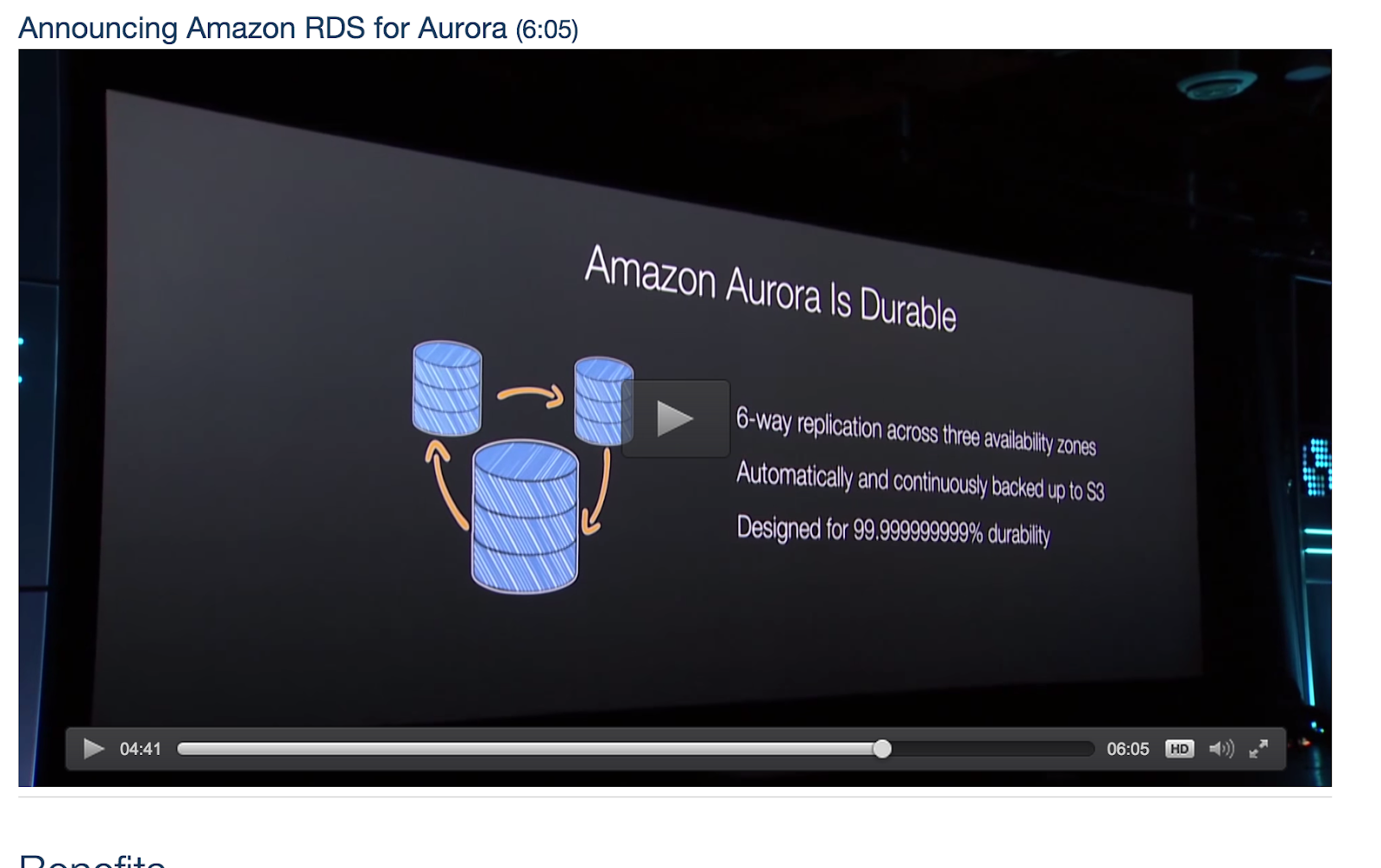
replace mysql with aurora
X
IAM Role for S3 Bucket
X
CDN

Cloudfront Hosting (Stretch)
X
Database Tuning

Flat Tables
X
Smoke Test
X
Capacity Test
X
Load Test

Endurance testing


X
Auto Scaling test

Failover Testing web

Failover Testing  DB

DR Testing
X
Backup Testing

Security Testing

Cleanup

Garbage Collection

Setup AWS alarms

SSL certificate
X
build for Load testing

Re-configure AWS Production (VPC, Subnets, Routing, etc.)

FOR HIGH LOAD:  Set DB instance to db.m1.xlarge (or another type with high memory) and run a query to increase InnoDB Buffer Pool Size to 10GB (or 60 - 70% of total memory)
X
Add expires header to content hosted in s3